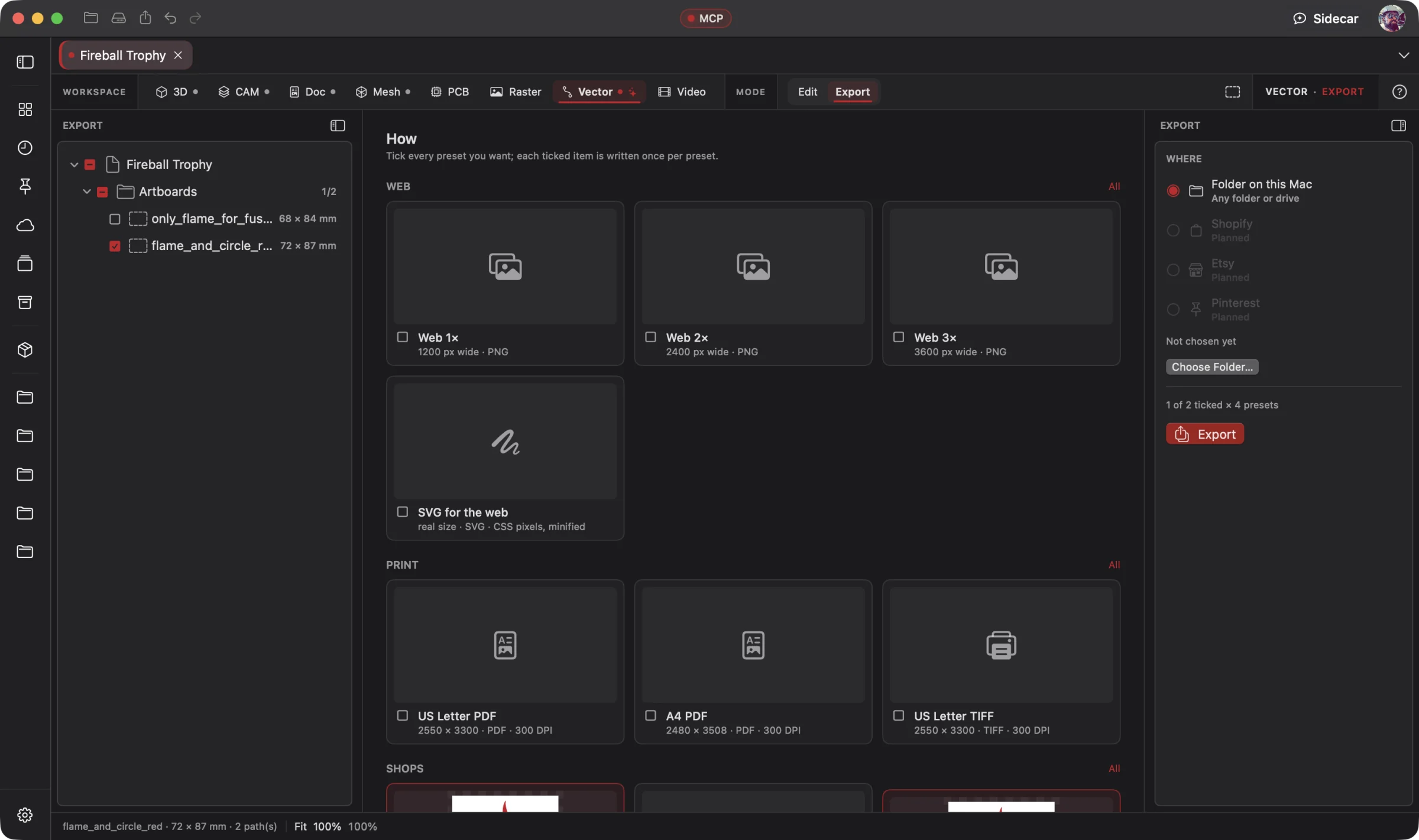
Vector · Vector Editing
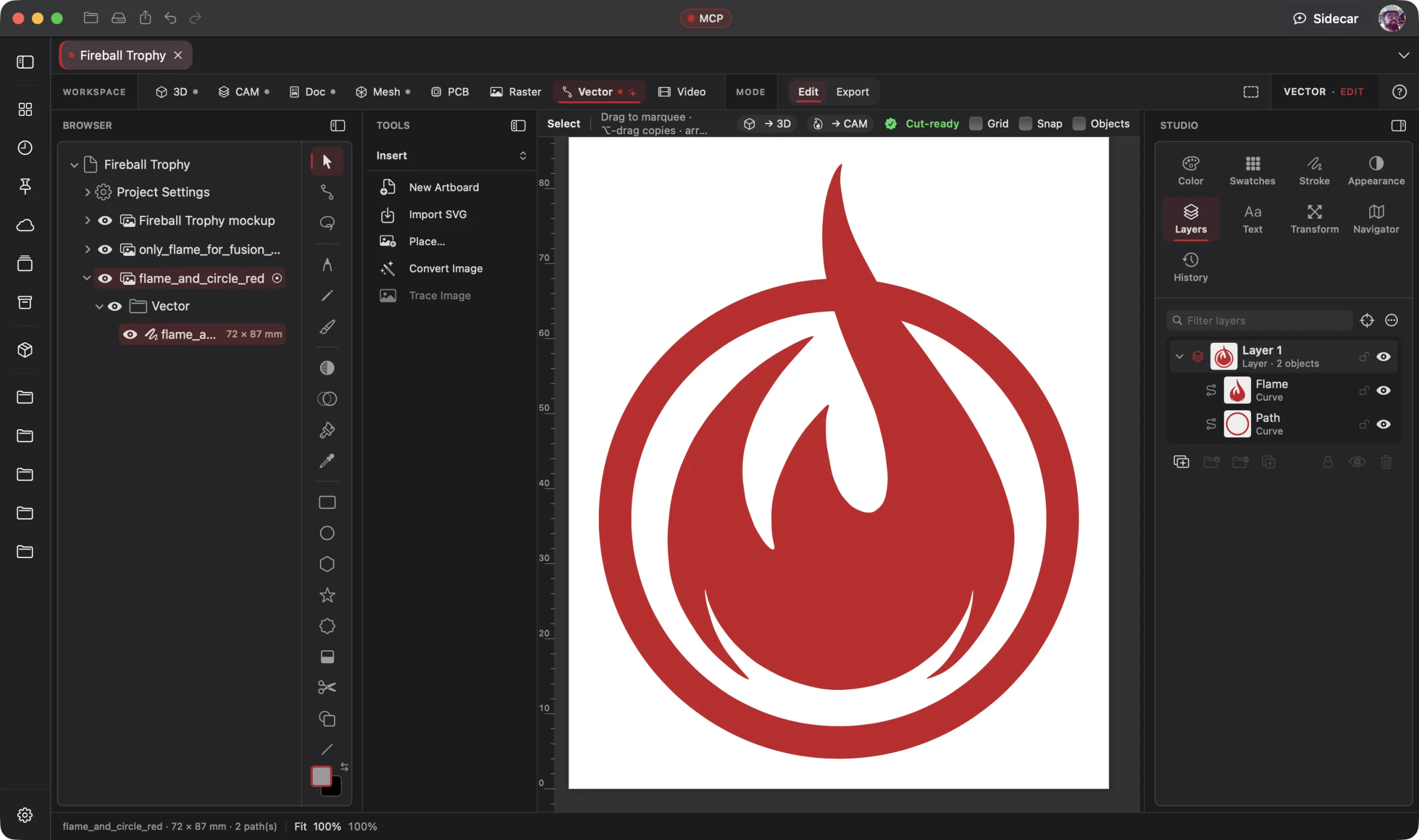 Enlarge
Vector Editing
The logo's paths and layers sit beside the drawing tools for hands-on or AI-directed refinement.
Vector Workspace
Give your AI a logo brief, an existing vector file or a raster image. It creates the artwork, refines paths and type, or converts pixels into editable curves. A full vector editor is at your fingertips: draw it yourself, pass the reins to AI or move between both. Export the result or take it straight into your physical design.
Your connected AI operates the vector tools through native MCP: create shapes, edit nodes, set type, refine colors and prepare exports. You steer the design and keep every curve editable. Wrangler connects your providers and supported local models; Sidecar handles focused work. Explore AI Workflows
Free 3D Workspace · One project · No credit card
macOS · Windows · Ubuntu · iOS · iPadOS · Android
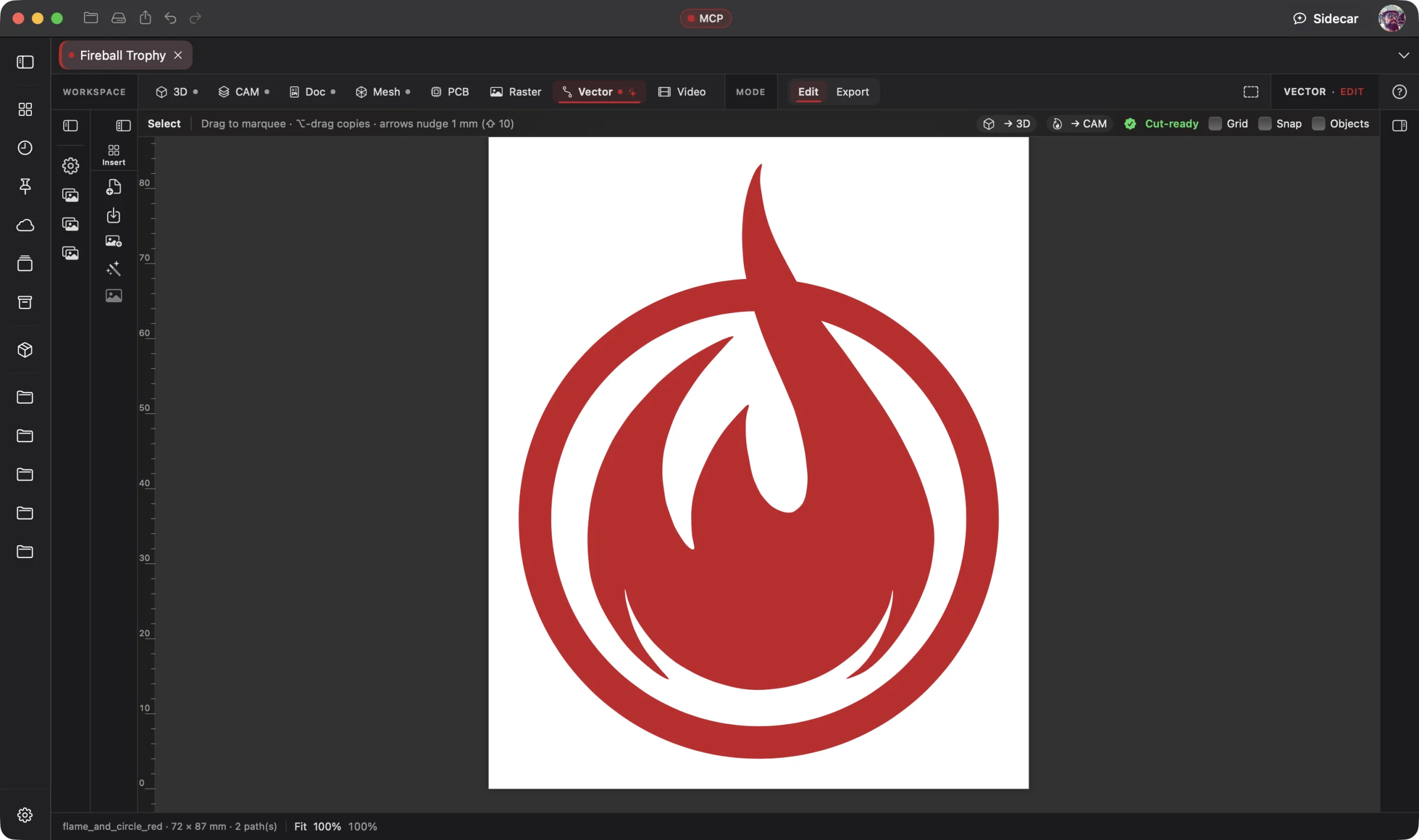 Enlarge
The Fireball logo as vector artwork, ready to work with in the same project.
Vector is part of one AI-driven design workflow: a reference image becomes artwork, physical parts, manufacturing jobs, electronics, assembly instructions and a product video. Your AI works across all eight workspaces in one project; you steer and review.
Bring an idea or the design you already started. Through native MCP, your AI sees the project geometry and makes real changes. Fireball Wrangler brings your provider accounts and supported local models together, with discovery and connection to Fireball apps when their MCP access is enabled. Built-in Sidecar handles focused tasks.
Full editing goes with you: native apps across macOS, Windows, Ubuntu, iOS, iPadOS and Android. Use touch, Apple Pencil on supported iPads, or mouse and keyboard. Windows to Mac to Ubuntu, the same .fireballdesign file keeps every workspace together. Choose cloud sync to continue on your phone, tablet or computer.
Designer is in pre-release. This site describes the complete product; download availability follows the published builds. AI capabilities depend on your chosen model and tool support.
The Fireball Trophy Project
Real screenshots from Designer v0.19.0 on macOS. Open any image for a closer look.
Before and after
Today
A logo idea to draw, a vector file that needs changes or a raster image you need as clean curves. You want AI to make the edits inside the document.
With Fireball Designer
An editable vector design with deliberate shapes, refined nodes, typography and colors. Ready for a sign, a label, print or the next step in 3D and CAM.
The bridge: a full vector editor with AI controlling the drawing tools, raster-to-vector conversion, precise path editing and connected design workspaces.
What it’s for
Create a logo from scratch, draw an illustration, lay out lettering or refine artwork someone sends you. Work with layers, artboards, editable Bézier paths, node tools, shapes, booleans, gradients, swatches and typography. Your AI can operate the tools, and you can take over at any point.
Open an existing vector file and change its curves, spacing, colors or wording. Convert a raster logo, scan or reference into editable paths and refine the result. Export vector artwork for print and web, or carry it into 3D as geometry and CAM as a cutting design within the same project.
Headline features
Start from a brief or a blank artboard. Build original logos and illustrations with shapes, editable curves, typography, gradients and swatches. Direct your AI to create a first draft and refine it together.
For you: the artwork is yours to edit, at every node.
Open supported vector artwork and change paths, spacing, colors and text. Simplify curves, combine shapes and prepare variants, by hand or through your connected AI.
For you: improve the design you already have without starting over.
Flat, Detailed, Line art and Sketch modes pick the color count for you, drop the background and give one compound path per color with its holes. A 1200 px logo converts in about a quarter of a second.
For you: a logo picture becomes a few clean shapes, not hundreds of slivers.
Removes page rectangles, invisible objects, specks and duplicates, joins near-miss ends within 0.1 mm, closes paths, splits self-crossings and nests holes, then outlines anything still open in red.
For you: duplicate paths cut twice. Repair makes sure they don't.
Select, Node, Pen, Pencil, Vector Brush, Gradient, Transparency, the shape tools, Corner, Knife, Shape Builder, Line and Text, with a context bar for each.
For you: your muscle memory already works here.
Add, Subtract, Intersect, Divide and Combine; Contour and Expand Stroke; and cogs, hearts, callouts, stars and more whose fields stay editable.
For you: a plate minus a circle is one part with a real hole that 3D and CAM read correctly.
Strokes fit to clean Bézier curves, with pen pressure driving the width and rope or window stabilizers.
For you: hand-drawn marks stay clean, editable curves.
Artistic text, frame text with columns, text on a path, kerning and ligatures, and Convert to Curves for the hand-off.
For you: change the wording without redrawing the sign.
Global swatches that recolor every use, .ase import and export, four gradient types, rulers in mm, guides, snapping and an outline view.
For you: brand colors and sizes stay exact across the project.
Place on a plane, a construction plane or a face; Send to CAM; paste; or drag a layer onto the 3D or CAM tab. Update from Vector refreshes the part when the artwork changes.
For you: a logo becomes a part or a cut file in one step.
Several artboards per document, and vector artwork from a text prompt.
For you: every size on one page, and a first draft of the artwork.
Built-in Sidecar
Use Sidecar to understand a path problem or help run the built-in Repair command. Inspect the fixes in your artwork before moving on to 3D or CAM.
You
This logo came from a web converter. Make it cut-ready and send it to CAM for the plasma table.
Sidecar
→ removed the page rectangle · deleted a duplicate path (it would have cut twice) · joined an open end within 0.1 mm · holes nested · placed on XY and sent to CAM as cut parts. Undo available.
Small tasks are Sidecar’s sweet spot. Quick explanations, a focused edit or help running a built-in tool. Longer projects and repeated tool calls can use Credits quickly.
Sidecar Bronze is included with Designer Pro and Commercial at no extra charge; other plans can use its free tier. Designer works completely with the panel closed.
Find the right AI help for your work →MCP · bring your own assistant
Connect your preferred compatible AI to Designer through native MCP. Let it inspect the actual project, create the first draft and refine the design through editable, undoable tool calls.
Native MCP gives your connected AI control of Vector’s tools. Ask it to create a logo, refine an existing design, adjust nodes and typography, convert a raster reference or prepare export files. AI makes the changes in your editable document; you direct, review and refine.
# Claude Code, connected to Fireball Designer over MCP
> Vectorize fireball-logo.png as a 2-color logo 120 mm wide, fix anything that won't cut, and write an SVG for my laser.
An SVG in real millimeters, outlines only, no bitmap, and nothing left that would cut twice.
Example prompt and the tool calls it takes. Designer’s MCP server is built into the app, off until you switch it on, and scoped to what you share. No Sidecar subscription is needed. Your assistant uses its own provider account, billing and usage limits; review its work before using the result.
Workflows
One project, every workspace
Every workspace keeps its work in the same .fireballdesign file, so a hand-off is a button (or one tool call), not an export and a re-import.
Fireball Designer Warehouse connects the maker community to your studio. Discover shared projects, like the ideas you love, save them to collections and follow the makers, then open a design and make it yours within its sharing terms. Ask your AI for changes, prepare your build and share what you learn with the next maker. Find It. Make It Yours.
place_vector_on_plane) and refreshes from the artwork (update_from_vector).
Preliminary pricing
Unlimited 3D projects start at $5 a month. Add the Vector Workspace for another $5 a month: $10 total (or $110 a year). Designer Pro includes all eight workspaces for $25 a month. You can start with one 3D project for free. One Fireball account works across your Fireball apps. Under ten employees you sell what you make on any paid plan.
See Designer plansFAQ
Yes. Vector is a full drawing and illustration editor, with curves, nodes, shapes, layers, artboards, gradients and typography. Create original logos, refine supported vector files or convert raster artwork into editable paths. Work directly or let a connected AI operate the tools through native MCP.
SVG (pasted from any app too), PDF pages, PDF-compatible .ai files, and PNG, JPEG, HEIC, TIFF, GIF and WebP to place or Convert. Out: SVG (standard, for CAD, for web), vector PDF, PNG and JPEG up to 2,400 dpi, DXF and .ase swatches.
It's built for logos and flat artwork: colors share one boundary, so there are no halo slivers, and the result is a few clean shapes with no bitmap embedded unless you ask to keep one.
Only what would break a cut or an extrusion: page rectangles, invisible objects, specks, duplicates, near-miss gaps (0.1 mm by default), self-crossings and hole nesting. It reports every change, and can repair a copy instead.
They're flattened to lines and arcs within a tolerance you set (0.1 mm by default), finer than a plasma kerf.
Native apps across macOS, Windows, Ubuntu, iOS, iPadOS and Android, with full design editing on mobile. Use touch, Apple Pencil on supported iPads, or mouse and keyboard. The same .fireballdesign file carries your project across platforms; choose cloud sync to continue on another device. Download availability follows the published pre-release builds.
Designer is free to start. The Vector Workspace is one of the $5-a-month add-ons, or part of Designer Pro. Pricing is a draft until launch.