Raster · Photo Editing
 Enlarge
Photo Editing
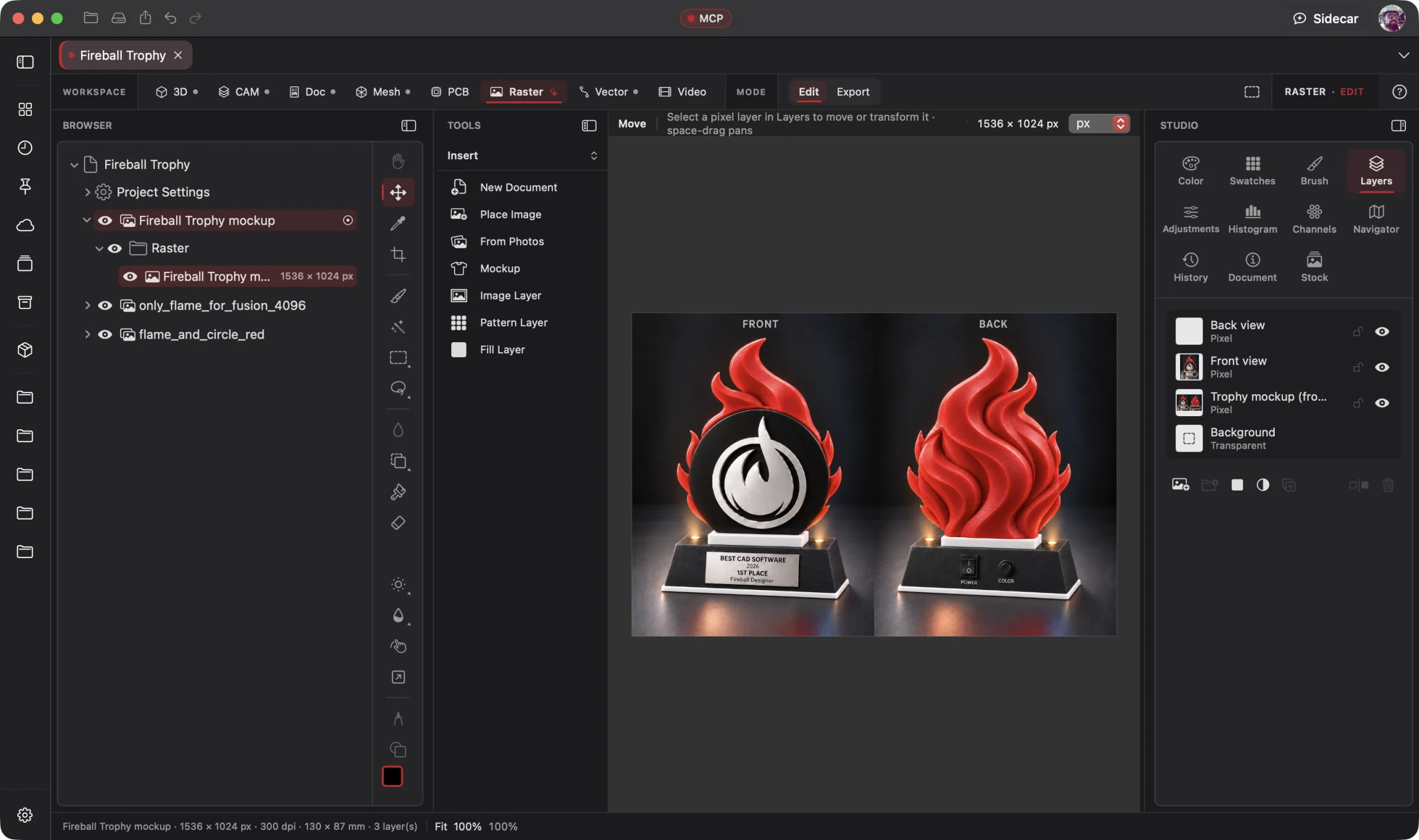
Open the photo tools and layers to edit the reference image inside the project.
Raster Workspace
Give your AI the image and the direction. It edits layers, refines selections, retouches details, removes or replaces backgrounds and builds the composition. A full photo and pixel editor is at your fingertips whenever you want to take the controls. The same project connects your artwork to the physical design.
Pass the reins to your preferred AI through native MCP, or work directly with the same editing tools. AI makes real changes to the image, layers and masks; you review, refine and undo. Wrangler brings your providers and supported local models together; Sidecar handles focused work. Explore AI Workflows
Free 3D Workspace · One project · No credit card
macOS · Windows · Ubuntu · iOS · iPadOS · Android
 Enlarge
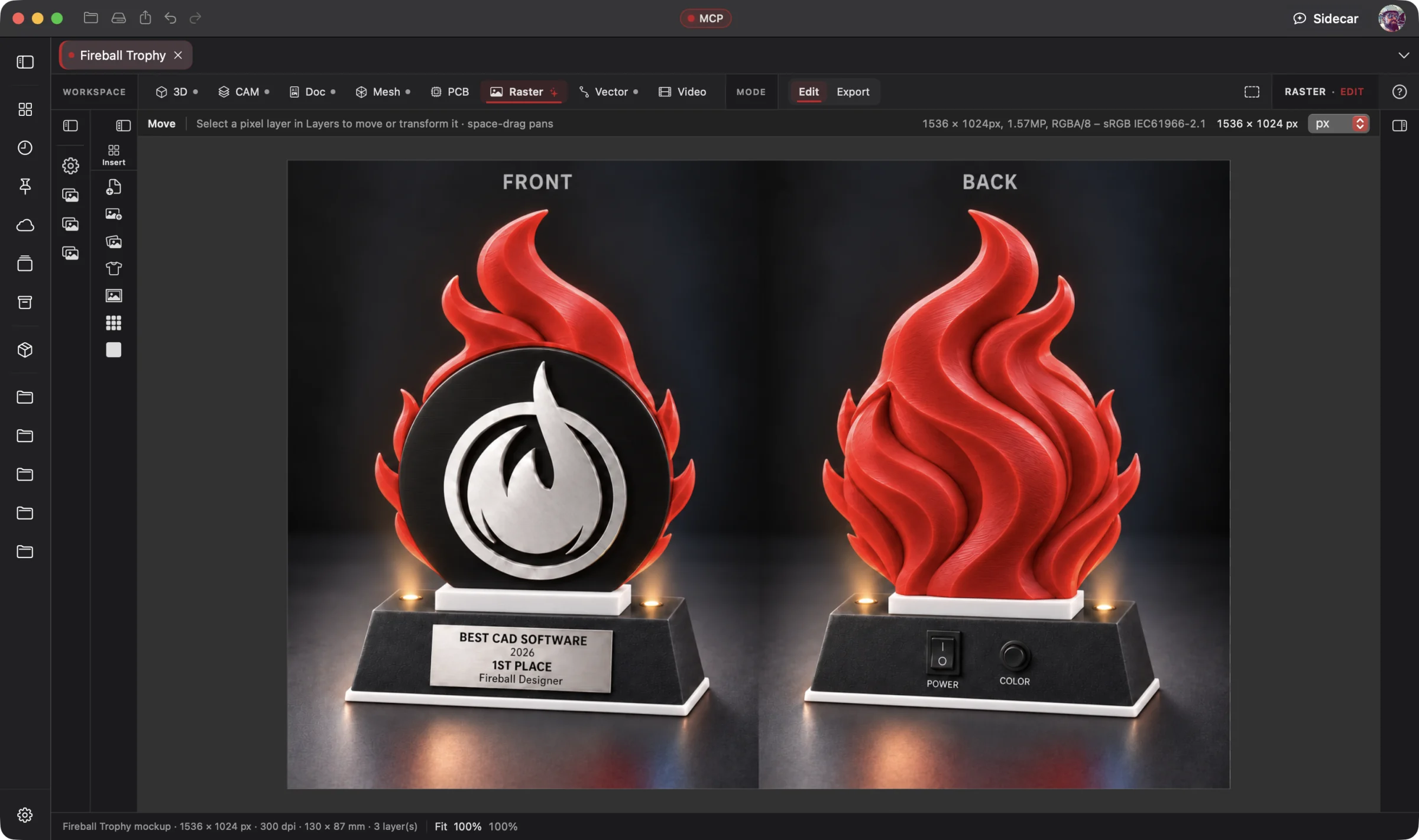
The original trophy concept, front and back, open in the Raster Workspace. Its plaque text is illustrative.
Raster is part of one AI-driven design workflow: a reference image becomes artwork, physical parts, manufacturing jobs, electronics, assembly instructions and a product video. Your AI works across all eight workspaces in one project; you steer and review.
Bring an idea or the design you already started. Through native MCP, your AI sees the project geometry and makes real changes. Fireball Wrangler brings your provider accounts and supported local models together, with discovery and connection to Fireball apps when their MCP access is enabled. Built-in Sidecar handles focused tasks.
Full editing goes with you: native apps across macOS, Windows, Ubuntu, iOS, iPadOS and Android. Use touch, Apple Pencil on supported iPads, or mouse and keyboard. Windows to Mac to Ubuntu, the same .fireballdesign file keeps every workspace together. Choose cloud sync to continue on your phone, tablet or computer.
Designer is in pre-release. This site describes the complete product; download availability follows the published builds. AI capabilities depend on your chosen model and tool support.
The Fireball Trophy Project
Real screenshots from Designer v0.19.0 on macOS. Open any image for a closer look.
Before and after
Today
A layered image to finish, a difficult subject to isolate, a background to replace and a set of edits you wish you could hand to AI without losing control.
With Fireball Designer
One editable composition: a precise cutout, a new background, refined lighting and color, retouched details and export-ready artwork. Your AI does the editing, and every layer remains within reach.
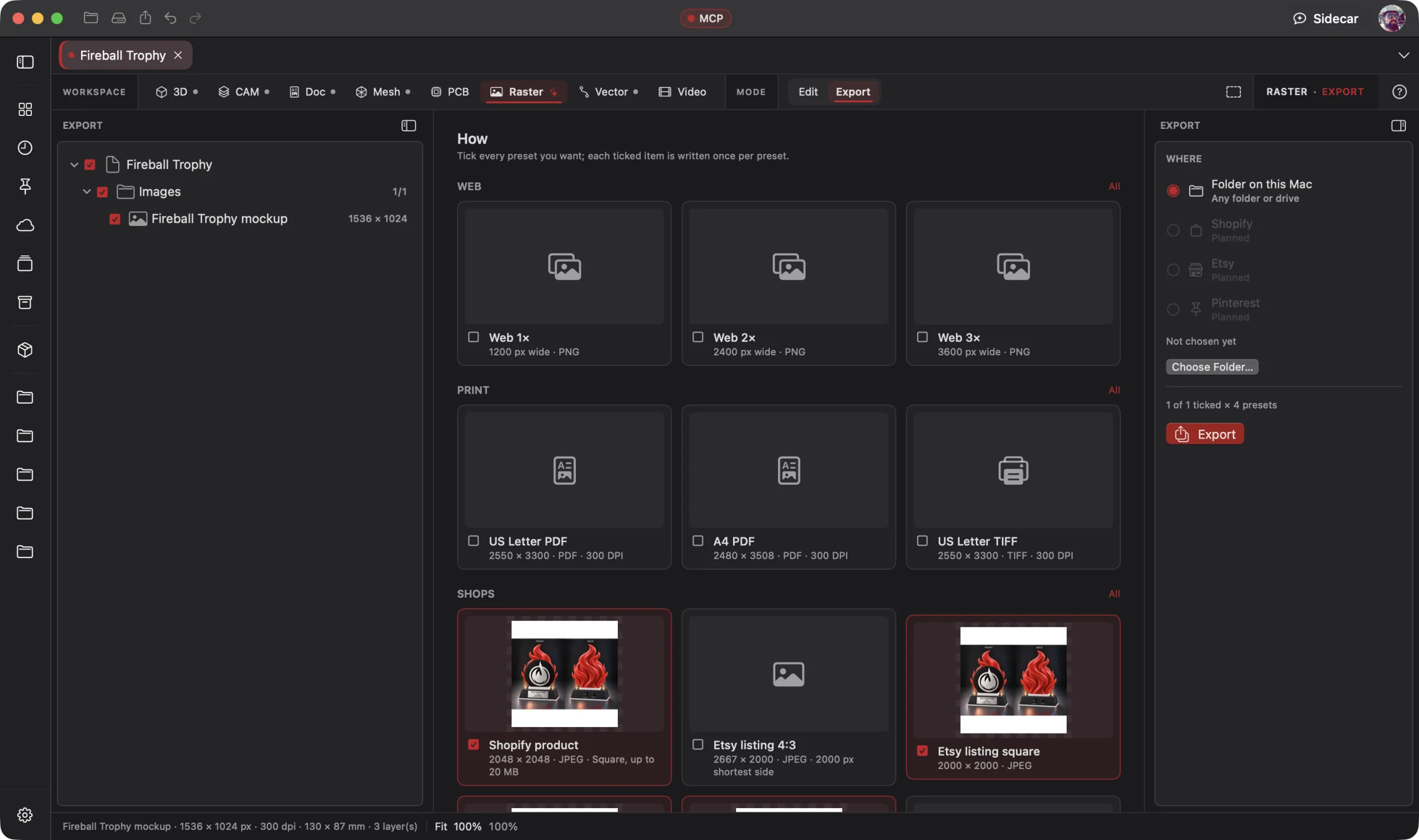
The bridge: a complete raster editor with native AI tool control, precise selections and masks, background removal and replacement, and live adjustments you can revisit.
What it’s for
Edit a photograph, paint and retouch, build a layered composition or prepare artwork for print. Raster combines layers and masks, live adjustments and filters, brushes, selections, warps and 8- and 16-bit editing. Start from camera RAW, a layered PSD, a scanned sketch or your existing artwork.
Background removal and replacement are a core strength: isolate the subject, refine hair and fine edges, keep a transparent cutout or composite it onto a new background. Match the result with editable shadows and color adjustments. Work by hand or describe the result to an AI that can operate the editor directly.
Headline features
Describe the result to a connected AI and let it operate the same editing tools you use. Inspect the document, edit layers and masks, refine the composition and export, with reviewable, undoable changes.
For you: hand over the editing work and keep creative control.
Pixel, fill, adjustment, pattern and text layers, 31 blend modes, pixel and vector masks, clipping, Layer FX, and 21 adjustments (Levels, Curves, HSL, Selective Color, LUTs, Soft Proof and more) you can change later.
For you: every edit stays editable.
Blurs from Field to Lens, Frequency Separation, Haze Removal, Lens Correction, Halftone, Displace, Lighting, and an expression editor for your own, each with a before/after split.
For you: the finishing tools a product shot needs, without a plug-in.
Select Subject, Person and Sky run on your Mac; Refine Edge handles hair; plus magnetic lasso, color and tonal range, Quick Mask and saved selections.
For you: a clean cut-out in seconds.
Isolate the subject, refine the mask and keep transparency or place it on a new image, solid color or studio sweep. Build contact and drop shadows and refine color to bring the composition together, with editable layers.
For you: a precise cutout and a new setting, without rebuilding your image.
Drag your artwork's corners onto a shirt, mug or sign photo; folds and fabric texture follow live; save the setup as a template.
For you: listing images without a photo shoot.
Pass, warn or fail on size, dpi, background and the semi-transparent pixels that DTG printers print as a halo, with garment presets that start at the right size and safe area.
For you: catch common file problems before sending artwork to print.
Brush, clone, heal, blemish, inpaint and patch, dodge, burn, sponge and smudge, with pressure and tilt dynamics and saved presets.
For you: fix the scratch on the part, not the part.
Layered PSD in and out with masks, adjustments and effects intact, camera RAW with a develop sheet, PDF pages, and 28 export presets across shops, print-on-demand, print, web, social and icons.
For you: it works with the files you have and ships the files each store wants.
Combine images with masks and blend modes, merge HDR exposures, stack focus and stitch panoramas. Work in CMYK for print and import your brushes.
For you: the full composition and finishing workflow stays in your project.
Built-in Sidecar
Sidecar helps with a focused edit, a shop preset or an explanation of a pre-flight result. It uses the Raster tools in your project; you review and adjust the layers.
You
Cut this out, put it on white with a soft contact shadow for Amazon, clean it up, and check it passes.
Sidecar
→ subject found (on this Mac) · background removed · white sweep · contact shadow · framed at 2000² · white balance, levels and sharpen as live layers · pre-flight: pass. Undo available.
Small tasks are Sidecar’s sweet spot. Quick explanations, a focused edit or help running a built-in tool. Longer projects and repeated tool calls can use Credits quickly.
Sidecar Bronze is included with Designer Pro and Commercial at no extra charge; other plans can use its free tier. Designer works completely with the panel closed.
Find the right AI help for your work →MCP · bring your own assistant
Connect your preferred compatible AI to Designer through native MCP. Let it inspect the actual project, create the first draft and refine the design through editable, undoable tool calls.
Native MCP gives your connected AI control of Raster’s editing tools: inspect the document, work with layers and selections, refine masks, retouch, adjust color, composite and export. Ask for the finished edit, then inspect or change the layers yourself. Built-in image operations run locally; your external assistant follows its own data settings.
# Claude Code, connected to Fireball Designer over MCP
> Straighten and denoise this photo, upscale it 2× for print, check it for Printify and export the PNG.
A straightened, denoised photo at twice the resolution, a pre-flight verdict for Printify, and the PNG, processed on the Mac with nothing uploaded.
Example prompt and the tool calls it takes. Designer’s MCP server is built into the app, off until you switch it on, and scoped to what you share. No Sidecar subscription is needed. Your assistant uses its own provider account, billing and usage limits; review its work before using the result.
Workflows
One project, every workspace
Every workspace keeps its work in the same .fireballdesign file, so a hand-off is a button (or one tool call), not an export and a re-import.
Fireball Designer Warehouse connects the maker community to your studio. Discover shared projects, like the ideas you love, save them to collections and follow the makers, then open a design and make it yours within its sharing terms. Ask your AI for changes, prepare your build and share what you learn with the next maker. Find It. Make It Yours.
send_raster_to).
Preliminary pricing
Unlimited 3D projects start at $5 a month. Add the Raster Workspace for another $5 a month: $10 total (or $110 a year). Designer Pro includes all eight workspaces for $25 a month. You can start with one 3D project for free. One Fireball account works across your Fireball apps. Under ten employees you sell what you make on any paid plan.
See Designer plansFAQ
Yes. Work directly with layers, masks, brushes, selections, retouching, adjustments, filters and compositing. Or pass the reins to a connected AI through native MCP and review the same editable document. Raster covers the full photo and pixel-editing workflow, alongside product-image and fabrication-artwork tools.
PNG, JPEG, TIFF, HEIC, WebP, GIF, layered PSD and PSB, camera RAW and PDF pages in; PNG (8 or 16-bit, or palette), JPEG, TIFF (layered too), HEIC, WebP where macOS can write it, GIF, BMP and layered PSD out.
Built-in Select Subject, Remove Background, upscale, denoise and straighten run on your Mac without uploading the image or using credits. If you share images or project information with a connected external AI, that assistant’s data settings apply.
Shopify, Etsy, Amazon, eBay, Walmart, Target Plus, TikTok Shop, Meta, Pinterest and Google Merchant; Printify and Printful, Redbubble, TeePublic and an 11 oz mug wrap; Letter and A4 print; web, social and icon sizes.
Yes. Import .abr and .afbrushes brush files.
Native apps across macOS, Windows, Ubuntu, iOS, iPadOS and Android, with full design editing on mobile. Use touch, Apple Pencil on supported iPads, or mouse and keyboard. The same .fireballdesign file carries your project across platforms; choose cloud sync to continue on another device. Download availability follows the published pre-release builds.
Designer is free to start. The Raster Workspace is one of the $5-a-month add-ons, or part of Designer Pro. Pricing is a draft until launch.