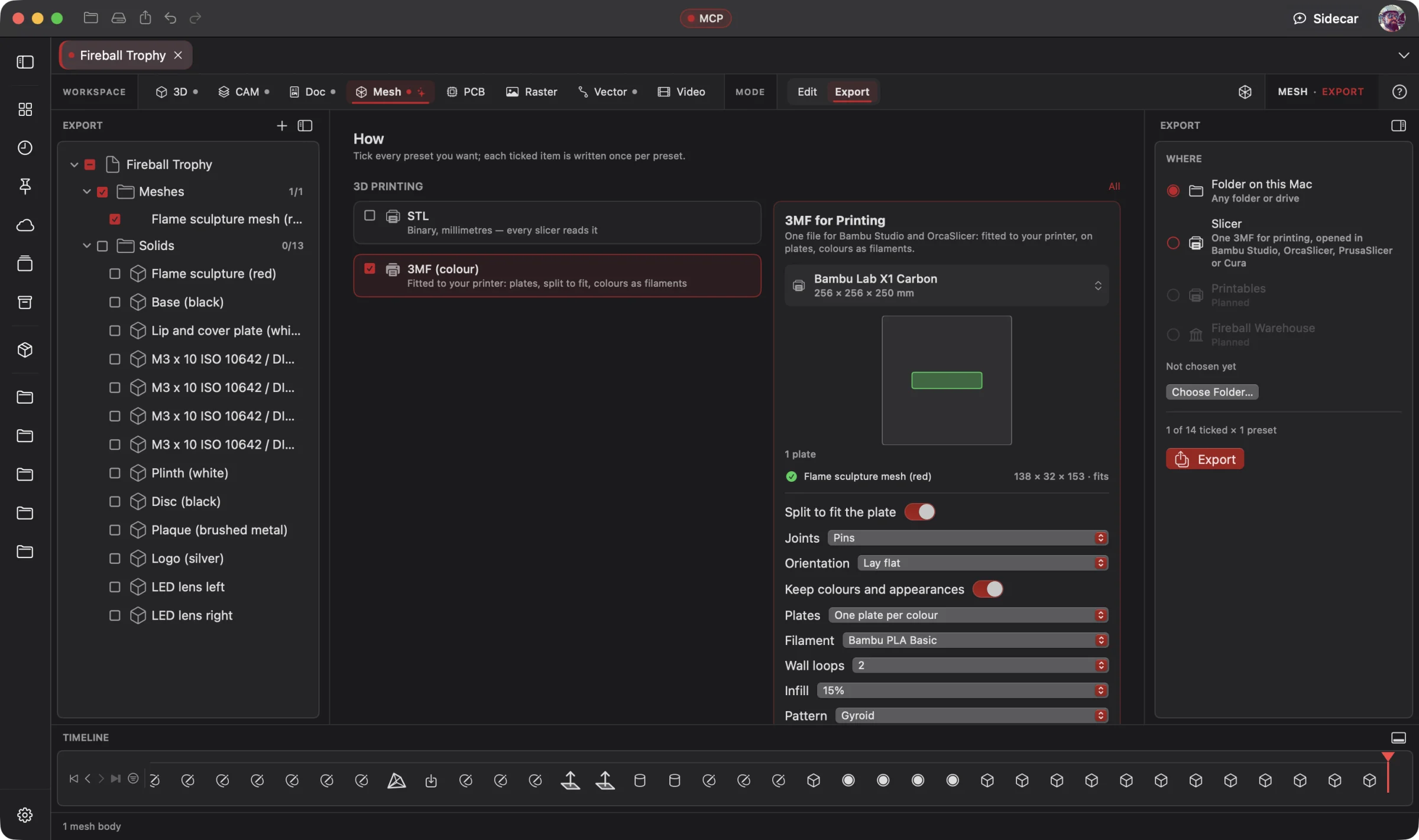
Mesh · Mesh Editing
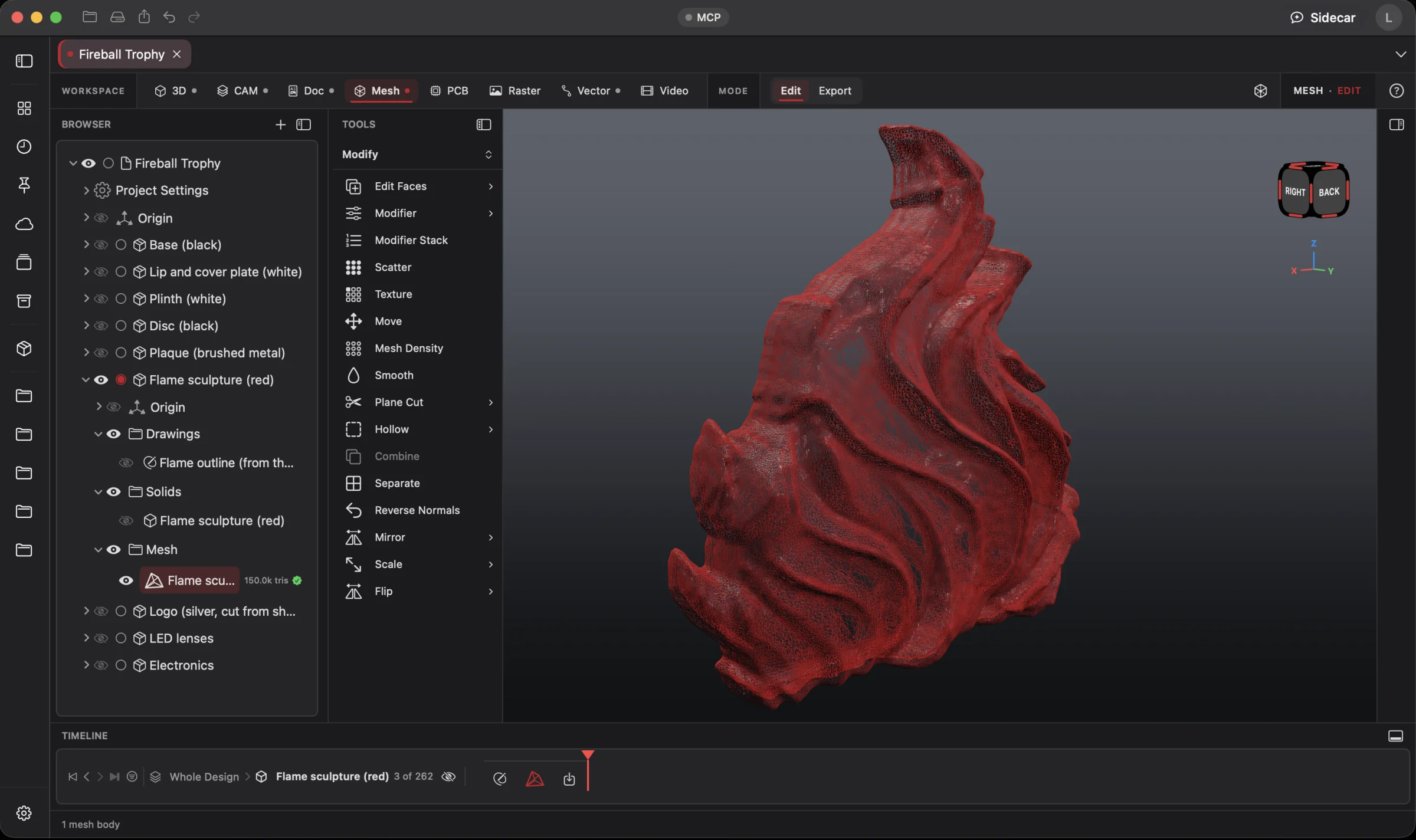 Enlarge
Mesh Editing
Inspect the flame's triangle wireframe with the object browser and mesh editing tools in view.
Mesh Workspace
Give your connected AI a reference image and describe the physical object you want. It creates an editable first-pass mesh, refines the shape and runs geometry and print checks. Direct the changes or use the modeling tools yourself.
Connect your preferred AI through native MCP, use Wrangler to manage your providers and supported local models, or choose built-in Sidecar for focused work. Your AI creates; you direct, review and refine. Explore AI Workflows
Free 3D Workspace · One project · No credit card
macOS · Windows · Ubuntu · iOS · iPadOS · Android
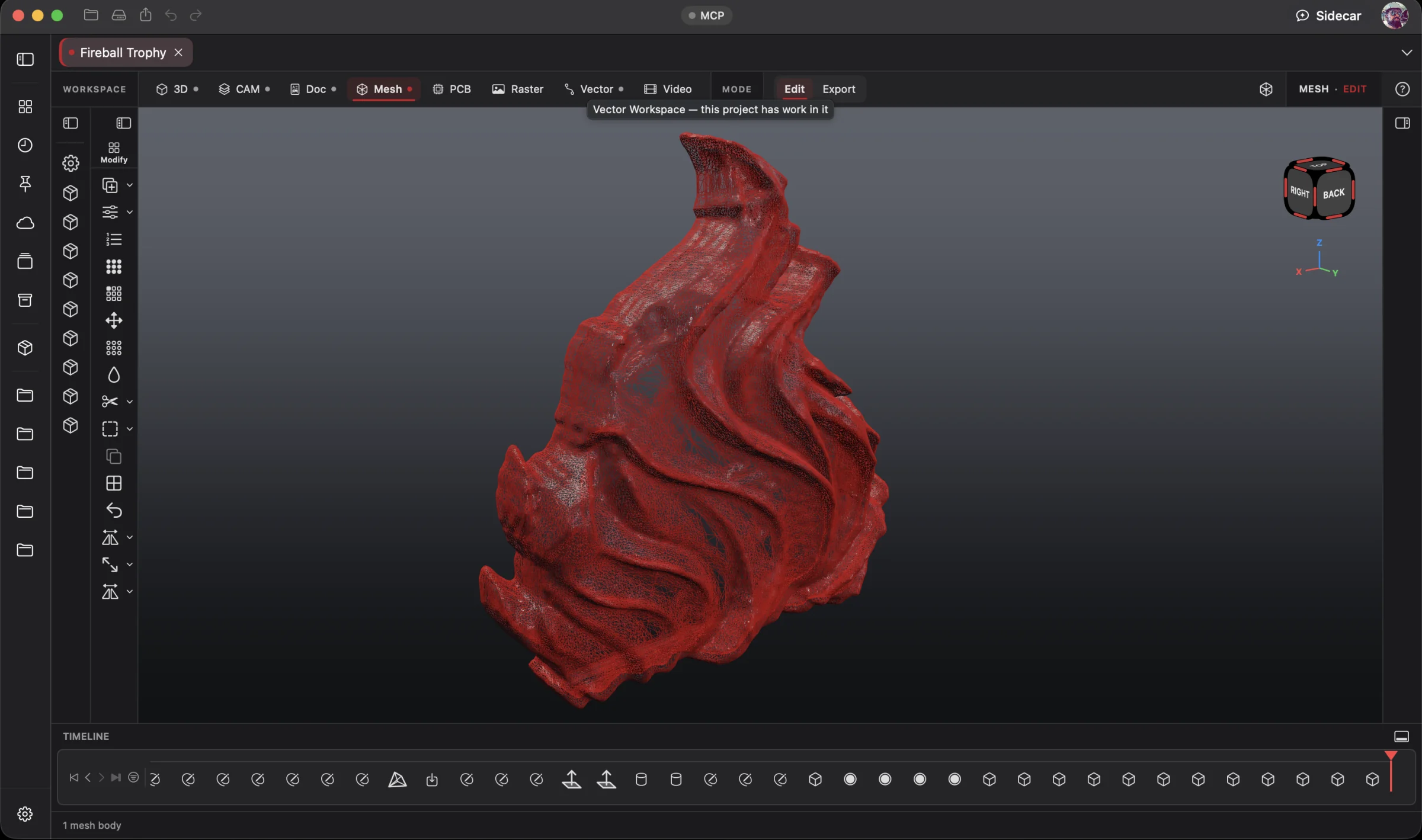 Enlarge
The flame sculpture and its triangle wireframe, isolated in the Mesh Workspace.
Mesh is part of one AI-driven design workflow: a reference image becomes artwork, physical parts, manufacturing jobs, electronics, assembly instructions and a product video. Your AI works across all eight workspaces in one project; you steer and review.
Bring an idea or the design you already started. Through native MCP, your AI sees the project geometry and makes real changes. Fireball Wrangler brings your provider accounts and supported local models together, with discovery and connection to Fireball apps when their MCP access is enabled. Built-in Sidecar handles focused tasks.
Full editing goes with you: native apps across macOS, Windows, Ubuntu, iOS, iPadOS and Android. Use touch, Apple Pencil on supported iPads, or mouse and keyboard. Windows to Mac to Ubuntu, the same .fireballdesign file keeps every workspace together. Choose cloud sync to continue on your phone, tablet or computer.
Designer is in pre-release. This site describes the complete product; download availability follows the published builds. AI capabilities depend on your chosen model and tool support.
The Fireball Trophy Project
Real screenshots from Designer v0.19.0 on macOS. Open any image for a closer look.
Before and after
Today
You have a reference image and a clear idea, but turning it into a physical object means learning a sprawling creative suite, wrestling with geometry and hoping the file will slice.
With Fireball Designer
A focused mesh workspace where you shape the object, refine the details and check the result for fabrication. Build it yourself, work with AI, or switch between both.
The bridge: mesh modeling and repair in the same workflow, with 3D printing as the destination. Image-to-model AI makes the first draft faster.
What it’s for
Mesh is a design workspace for real-world objects: collectible miniatures, display pieces, props, custom shapes and printable parts. Model and reshape the geometry, adapt a scan or remix a model you already have. Repair is a core strength throughout the process.
The focus is the object you will make: its shape, scale, surface and printable geometry. Modeling depth with a simpler path to fabrication, without a camera, lighting or animation workflow to learn first. Edit the mesh directly, then use Print mode to check it against your printer.
Go from reference image to editable mesh: give a connected frontier AI an image, describe the object and let it build a first pass. Refine the details yourself or ask the AI to adjust them. Review the geometry and run print checks before fabrication.
Headline features
Move, rotate and offset face groups with soft falloff. Plane-cut, mirror, combine, subdivide, remesh and smooth to refine the shape. Work directly on the mesh and keep the object at real-world scale.
For you: take control of the shape, whether it started as a scan, a download or an AI draft.
Give a connected frontier AI a reference image and ask for a model, from an engraved fantasy hammer to a skull-fronted castle. Let it establish the form, then adjust the details yourself or direct another AI pass. Review the result before fabrication.
For you: get a first draft you can shape into your own physical object.
Weld, drop degenerate and duplicate triangles, unify winding, fill holes, remove specks, turn right way out, and only then fall back to a Make Solid rebuild. Check first to see the problems without changing anything.
For you: a broken download becomes printable without knowing what was broken.
Open edges in blue, non-manifold edges in red, flipped triangles in magenta, and walls thinner than your printer's minimum in yellow, right on the model.
For you: you see exactly what's wrong before you fix it.
Overhang area, bed contact, height, layer count, bed fit and wall thickness for Bambu Lab X1C, P1S, A1 and A1 mini, Prusa MK4, Creality Ender 3, resin and generic FDM. It even catches a model that's 25.4× the wrong size.
For you: find the failed print before the printer does.
Your printer's bed on the grid, a live print report, and one click to turn the part for the least support and set it back on the bed.
For you: less support, less cleanup, one page for all of it.
The fewest even cuts so every piece fits, with dowel sockets and loose pins or dovetails, pieces named “1 of 4”, and one multi-part 3MF or an STL per piece.
For you: helmets and big enclosures on a small printer.
Choose when to hollow a model, set the wall thickness and add drain holes. Reduce dense meshes, subdivide, remesh, smooth, plane-cut, mirror and combine. Check the resulting geometry before printing.
For you: a huge scan becomes something you can print and work with.
Groups planar, cylindrical and spherical areas automatically, then move, turn or offset a group with on-canvas handles and a soft falloff.
For you: fix a scan's flat face without sculpting.
Opens the part in Bambu Studio, OrcaSlicer, PrusaSlicer or UltiMaker Cura in one step, or exports STL, OBJ, 3MF with units and colours, or faceted STEP.
For you: no export, find-the-file, re-import loop.
Mesh to real, editable solids with feature recognition, plus sculpting, lattices and scan deviation maps.
For you: reverse-engineer a part into CAD in one go.
Built-in Sidecar
Sidecar helps explain a mesh check or run the built-in Repair command. Ask a focused question, inspect the result and use the same undoable tools available in the ribbon.
You
This STL from Printables won't load in Bambu Studio. Fix it for my A1 and open it.
Sidecar
→ found a hole, a flipped triangle and a duplicate face · repaired (auto) · watertight · print check for the A1: fits the bed, overhangs reported · oriented for least support · opened in Bambu Studio. Undo available.
Small tasks are Sidecar’s sweet spot. Quick explanations, a focused edit or help running a built-in tool. Longer projects and repeated tool calls can use Credits quickly.
Sidecar Bronze is included with Designer Pro and Commercial at no extra charge; other plans can use its free tier. Designer works completely with the panel closed.
Find the right AI help for your work →MCP · bring your own assistant
Connect your preferred compatible AI to Designer through native MCP. Let it inspect the actual project, create the first draft and refine the design through editable, undoable tool calls.
Connect the frontier AI assistant you already use over native MCP. It can operate the available Mesh tools while you direct the result, inspect the geometry and refine it yourself. Build from a reference image, refine the mesh together, then prepare it for fabrication. The example below shows repair and print preparation.
# Claude Code, connected to Fireball Designer over MCP
> This STL is too big for my A1 mini and my slicer says it's broken. Repair it, split it with dovetails and give me one 3MF.
Closed, printable pieces named “1 of N”, each with a dovetail at every cut and sized for the A1 mini's bed, the original kept, and one multi-part 3MF ready for the slicer.
Example prompt and the tool calls it takes. Designer’s MCP server is built into the app, off until you switch it on, and scoped to what you share. No Sidecar subscription is needed. Your assistant uses its own provider account, billing and usage limits; review its work before using the result.
Workflows
One project, every workspace
Every workspace keeps its work in the same .fireballdesign file, so a hand-off is a button (or one tool call), not an export and a re-import.
Fireball Designer Warehouse connects the maker community to your studio. Discover shared projects, like the ideas you love, save them to collections and follow the makers, then open a design and make it yours within its sharing terms. Ask your AI for changes, prepare your build and share what you learn with the next maker. Find It. Make It Yours.
create_mesh_section_sketch); solids come back as printable meshes (prepare_solid_for_print).
send_mesh_to_cam), and milling halves come from Split.
Preliminary pricing
Unlimited 3D projects start at $5 a month. Add the Mesh Workspace for another $5 a month: $10 total (or $110 a year). Designer Pro includes all eight workspaces for $25 a month. You can start with one 3D project for free. One Fireball account works across your Fireball apps. Under ten employees you sell what you make on any paid plan.
See Designer plansFAQ
Mesh is focused on designing real objects as well as fixing them. Direct Edit, face groups, cuts, mirror, combine, remesh and smoothing let you reshape meshes. Sculpt the surface or start from an AI-built mesh, then refine the details.
Yes. Share an image with a connected frontier AI, ask for a first-pass mesh, then refine it by hand or with AI. Inspect the shape and run geometry and print checks before fabrication.
Physical objects are the focus, especially 3D printing: miniatures, props, display pieces and custom parts. Aim for closed, well-formed geometry; hollow only when the design calls for it. Suitable designs can feed CAM workflows, but a printable mesh alone is not a machining plan.
STL, 3MF, AMF, OBJ and PLY in (up to 64 MB); STL, OBJ, 3MF with units and colours, and faceted STEP out. STL units are never guessed: you pick mm, cm, m or inches.
It opens parts in Bambu Studio, OrcaSlicer, PrusaSlicer and UltiMaker Cura, and checks against Bambu Lab X1C/P1S/P1P, A1 and A1 mini, Prusa MK4/MK3S, Creality Ender 3, resin and generic FDM beds.
No. You can check first without changing anything, and every repair reports each step with the volume before and after.
Convert a mesh into editable solids with feature recognition, or take section sketches into the 3D Workspace and model an exact part over the scan.
Mesh is part of the native studio across macOS, Windows, Ubuntu, iOS, iPadOS and Android, with full editing on mobile. Continue with the same .fireballdesign project and optional cloud sync. Download availability follows the published pre-release builds.
Designer is free to start. The Mesh Workspace is one of the $5-a-month add-ons, or part of Designer Pro. Pricing is a draft until launch.